








How to Watch VR Porn on PSVR & PSVR2 in 2026
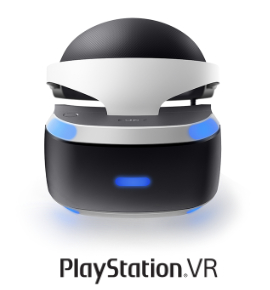
Watching VR porn on PlayStation VR is straightforward once RAD TV is installed. This guide covers the full setup for both the original PSVR (PS4 / PS4 Pro) and PSVR2 (PS5), so you can be viewing immersive 180° and 8K VR scenes in minutes.
What You'll Need
- PlayStation VR or PlayStation VR2 headset
- PlayStation 4 or PlayStation 5 console
- RAD TV installed from the PlayStation Store
- A USB drive formatted as exFAT or FAT32
- Compatible 180° VR videos
How to Watch VR Porn on PSVR (PS4 / PS4 Pro) – Step-by-Step
Best Method: RAD TV (formerly LittlStar) + USB
- Install RAD TV
On your PS4, go to PlayStation Store → Apps → Search for "RAD TV" or "LittlStar VR Cinema" → Download and install it (the free version works great). - Prepare a USB Drive
Use a PS4-compatible USB flash drive (formatted as exFAT or FAT32). Create a folder called LITTLSTAR on it — the folder must keep this exact name, even on the newer RAD app. - Download Videos from SwallowBay
On your PC, browse our newest VR porn videos and download your favorite scenes. For best quality, use the files ending in _180_sbs.mp4. - Copy Files to USB
Copy the downloaded videos into the LITTLSTAR folder on your USB drive. - Play on PSVR
Plug the USB into your PlayStation → Put on your PSVR headset → Open RAD TV → go to Library → Sideloaded → select your USB drive → choose a video and enjoy full 3D immersion.
How to Watch VR Porn on PSVR2 (PS5) – Step-by-Step
On PS5, RAD TV ships as a single download with two modes: a standard 2D version and a VR version for PSVR2.
- Install RAD TV on PS5
Open the PlayStation Store on the console itself (streaming apps no longer appear on the web store) → search for "RAD TV" → download and install. - Switch to the VR Version
Launch RAD TV. Power on your PSVR2 headset and you'll get a prompt asking whether to open the standard or VR version — choose VR. Powering the headset on or off switches between modes. - Load Your Scenes
Sideload via USB using the same LITTLSTAR folder method above, then open Library → Sideloaded to play. PSVR2's OLED display gives noticeably deeper blacks and richer color on 180° scenes.
Alternative Options:
- Streaming via RAD TV premium (where available)
- Other VR video players from the PlayStation Store
Frequently Asked Questions
Can PSVR2 play 8K VR porn videos?
Yes. PSVR2 can play high-resolution 180° VR videos using compatible applications such as RAD TV.
Do I need a PC to watch VR porn on PSVR?
No. Most users can watch VR videos directly on their PlayStation console using RAD TV and a USB drive.
Is PSVR2 better than the original PSVR for watching VR videos?
Yes. PSVR2 offers improved displays, deeper blacks, and better image quality than the original PSVR headset.
Ready for SwallowBay VR on PlayStation VR?
Stop imagining it — experience it. SwallowBay brings you ultra-realistic POV VR scenes that feel incredibly real. Whether you're craving sloppy blowjobs, big tits, or intense hardcore action, it all plays in stunning 180° on your PSVR or PSVR2.
Ready? Start Watching in VR Now →
Enjoy immersive 180° VR experiences and discover why virtual reality remains one of the most exciting ways to experience adult entertainment.